
- Member
- Sara
- Next gift
- 2 visits to go
Loyalty for local businesses, in any country
Customers come back when you remember them
A tablet on your counter checks customers in by phone number, and your cashier confirms the purchase from their phone. Gifts and points only count after that confirmation, and messages only reach people who said yes.
- A loyalty card in Apple Wallet and Google Wallet, no app to install
- Every visit confirmed by a person
- Arabic and English, priced in dollars or riyals
Start free: your first month is on us.
The in-store journey
From one tap to a gift they actually earned
Every step is clear to the customer and the cashier. Nothing counts until a staff member confirms a real purchase.
-
The customer taps the tablet
A tablet on the counter shows your name and your programme. One tap to begin.
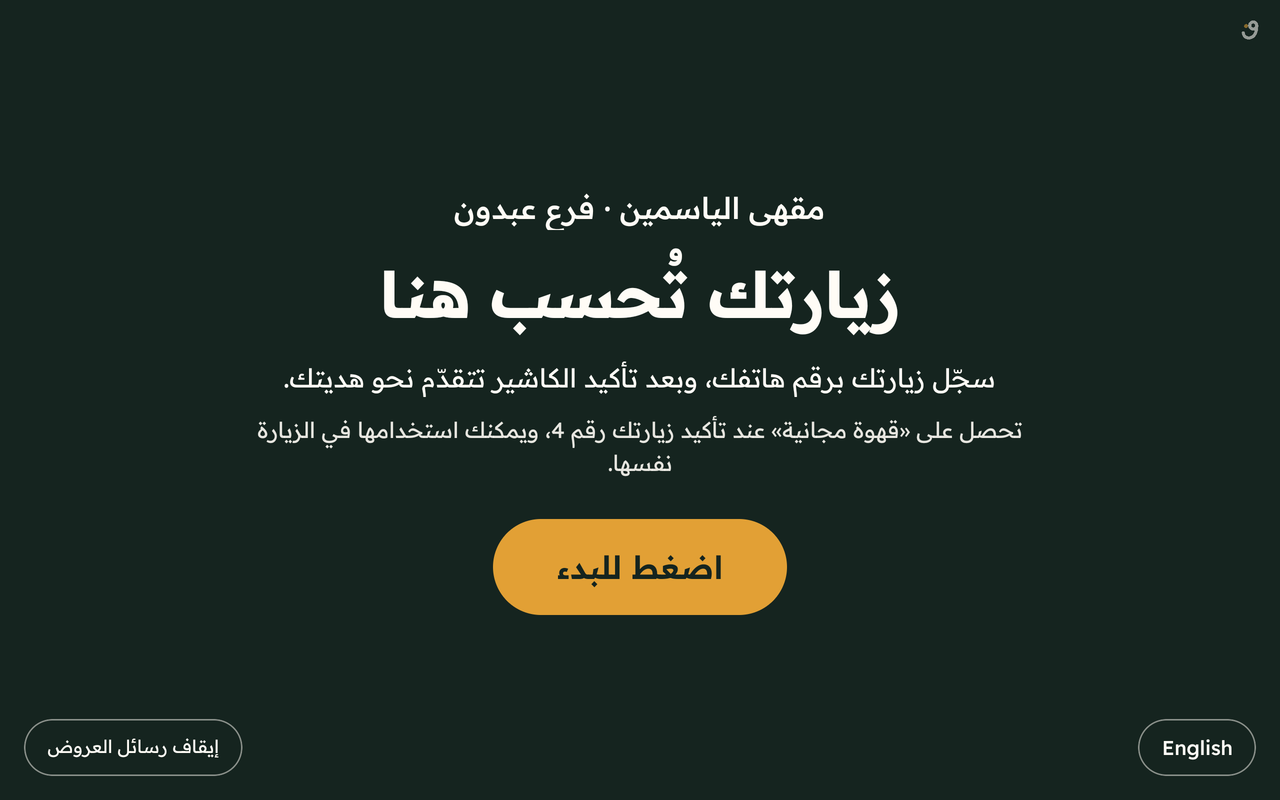
Counter tablet · The customer taps the tablet -
They enter their phone number
The shop’s country code is the default and numbers from any country work. Or they scan a QR and add the card with no number.
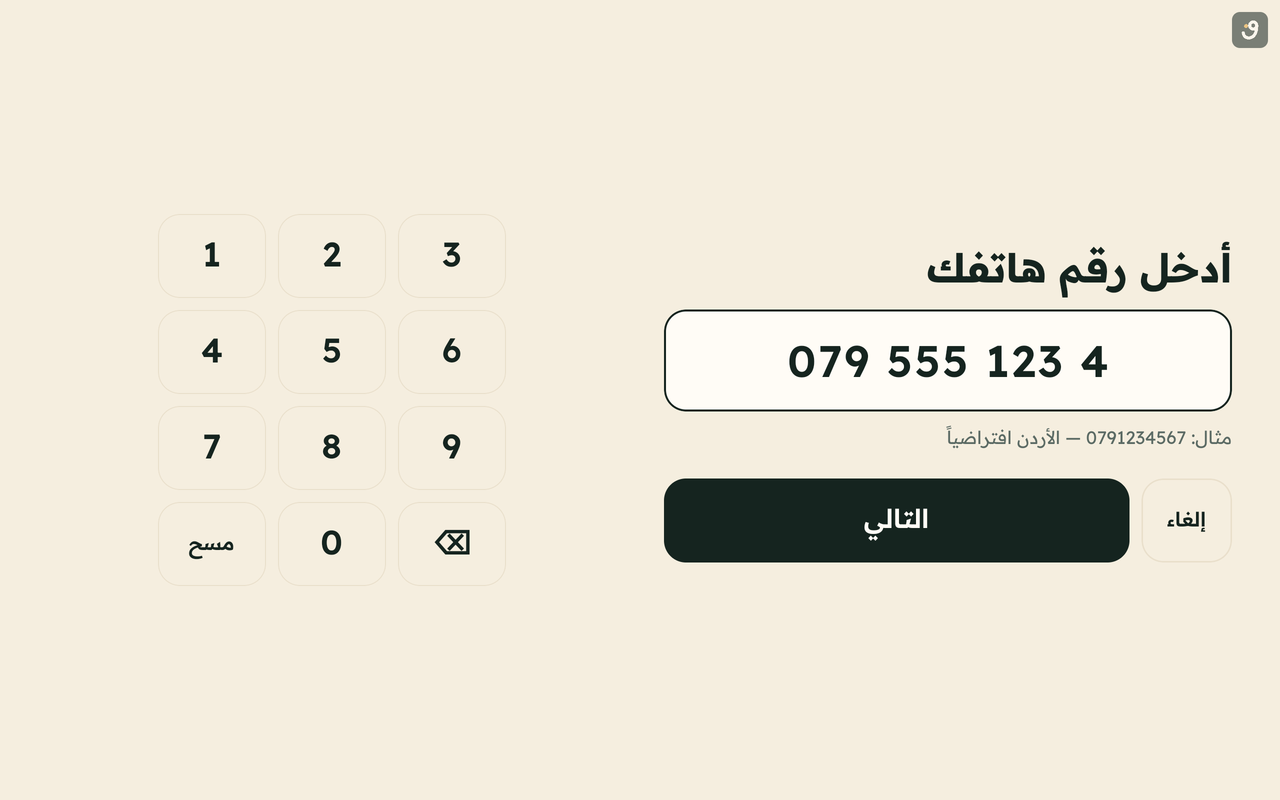
Counter tablet · They enter their phone number -
First visit? A name and a clear agreement
New customers give their first name and accept the programme terms, which include receiving offers by SMS and WhatsApp. The offers are part of the deal: they are how members get gifts and discounts.
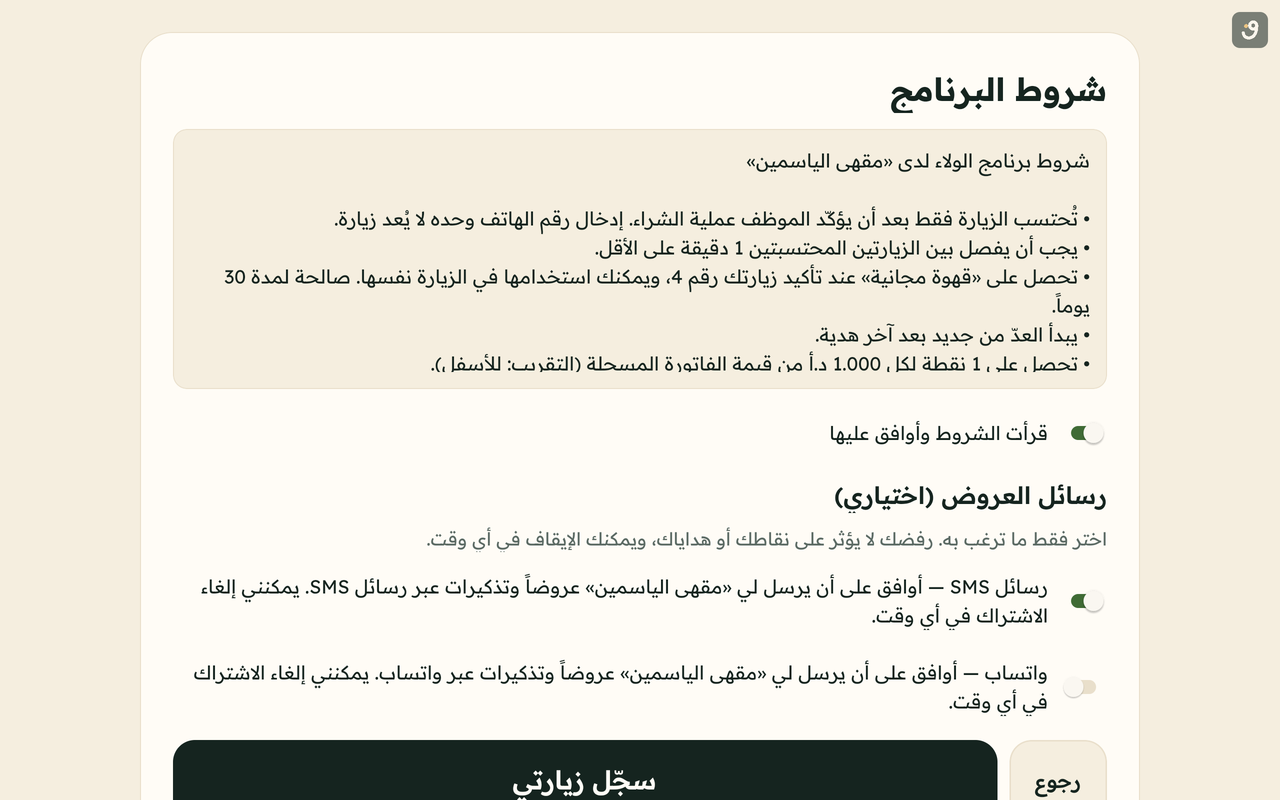
Counter tablet · First visit? A name and a clear agreement -
“Waiting for staff confirmation”
The request shows as pending, and while they wait the customer can add their card to their phone’s wallet. A phone number on its own is not a visit.
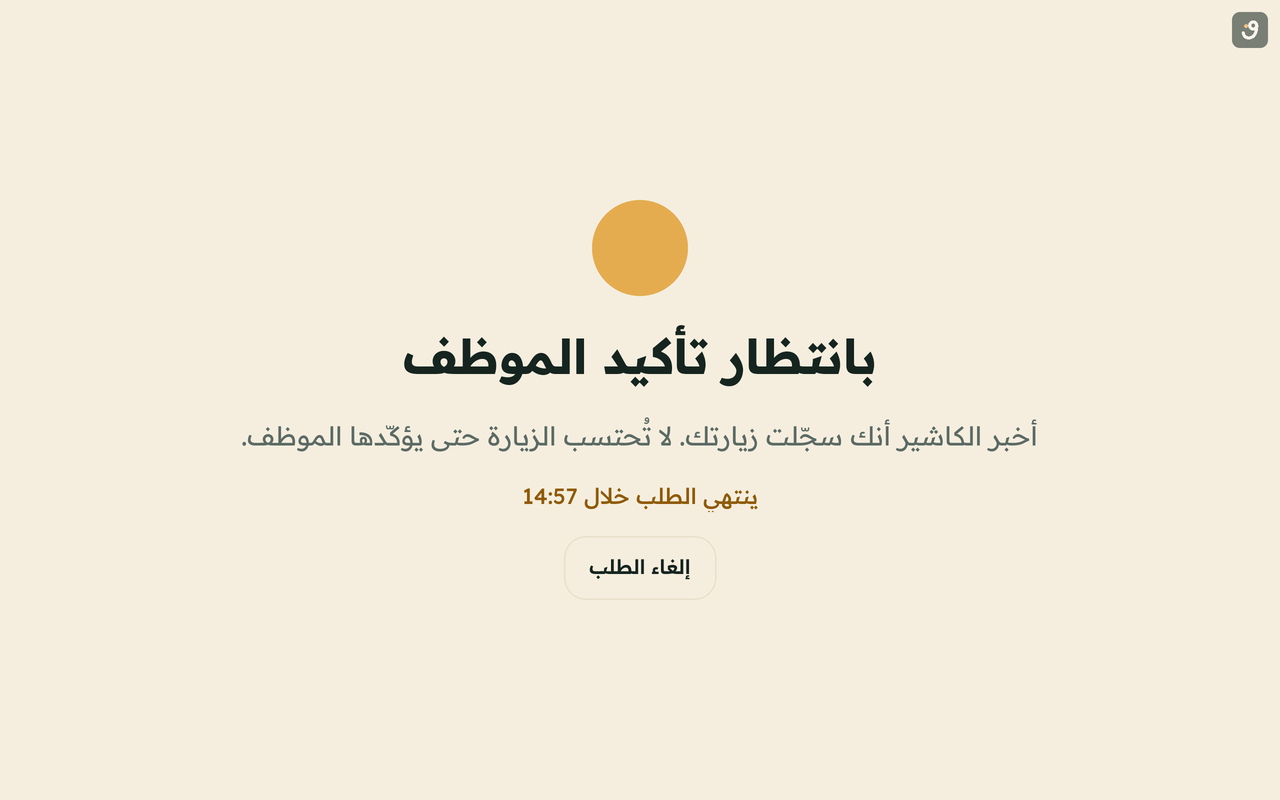
Counter tablet · “Waiting for staff confirmation” -
The cashier’s phone gets a notification
The staff member on shift in that branch is alerted in the LOYA Business app.
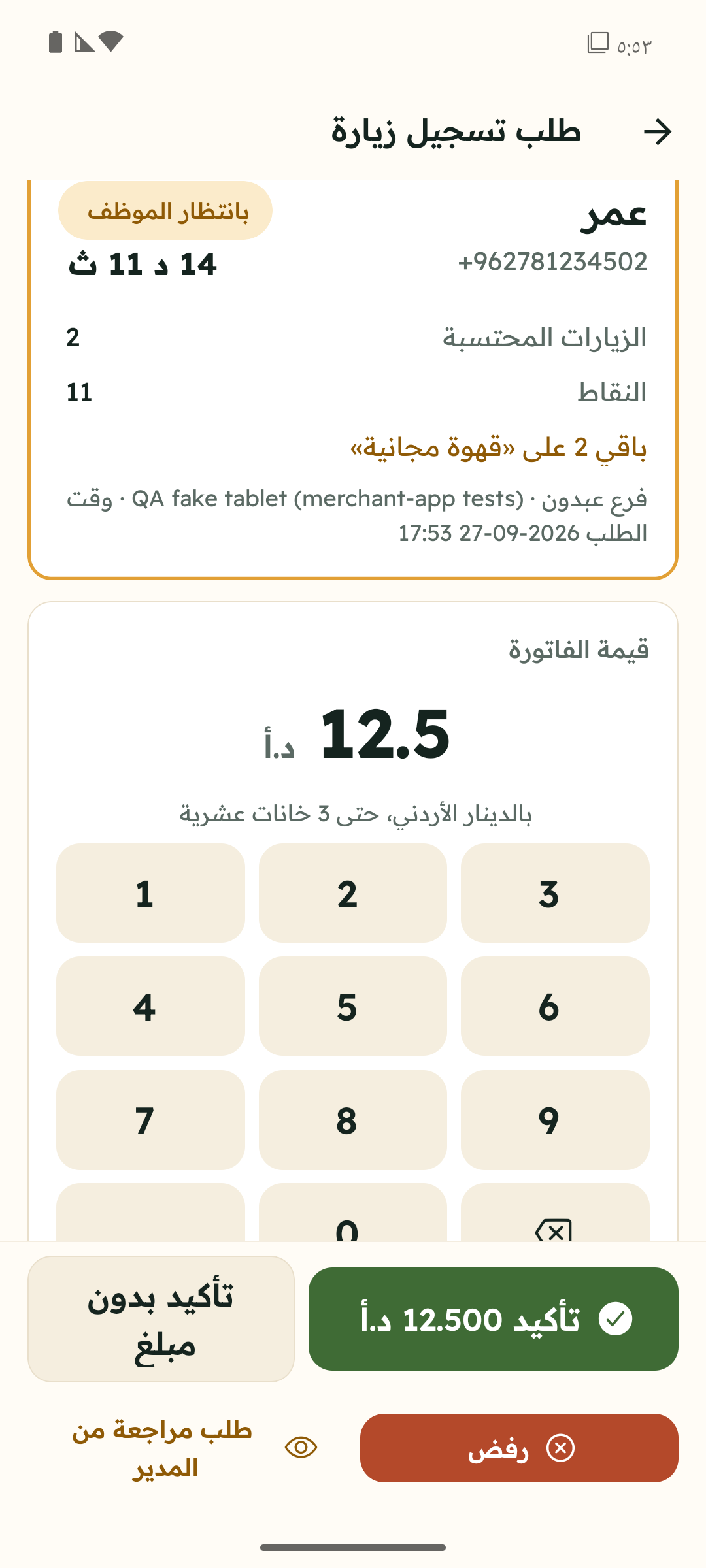
LOYA Business app · The cashier’s phone gets a notification -
Cashier enters the amount, confirms or rejects
They type the bill amount (if your programme uses it) and confirm. No purchase? One tap to reject.
-
The tablet shows progress
The customer sees the visit counted and how far they are from the next gift, or their points balance.
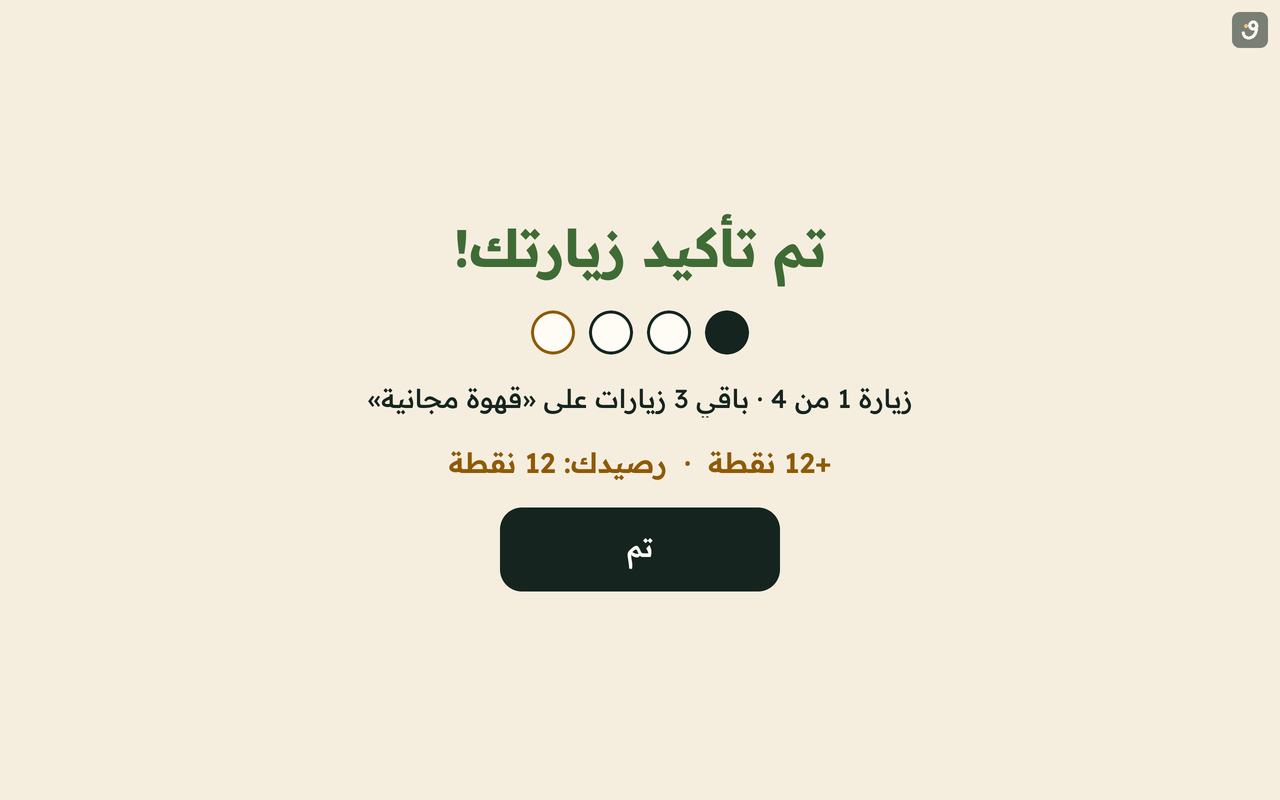
Counter tablet · The tablet shows progress -
The tablet resets itself
After a short idle period the screen clears, so the next person never sees the previous customer’s details.
A loyalty card on their phone
Your card in Apple Wallet and Google Wallet
Customers add your shop’s card to their phone’s wallet from the counter tablet. No app, no paper card. It stays with them and updates itself after every visit.
Included in every plan at no extra cost
-
No phone number if you prefer
Print a QR for your branch: customers scan it and add the card straight away, with no number or name. At each visit the cashier scans the card. Or use the tablet with phone numbers.
-
Your logo and your stamp icon
Your logo and colour on the card, and a stamp icon for your trade: a coffee cup, a car, scissors and more. Each visit fills an icon and the last one is the gift.
-
Updates itself
Visits, points and gifts appear on the card once staff confirm.
-
Offer notices with no messaging fees
Send an offer that shows on the card and as a notification, only to customers who accepted offers. Google allows three notices a day per card.
-
A nudge near your branch
Add your branch location and the customer’s phone can surface the card nearby. The phone’s system decides when it appears.
-
Protected from sharing
The add link works once. An older Apple copy is voided when a new one is issued, and a Google card is tied to one account.
Illustrative example of how the card works
Loyalty methods
Reward customers in the way that fits your shop
The owner sets the rules and publishes them as a fixed version, so customers and staff know exactly what counts.
- Visits
Visit-based
For example: your 4th visit is on us. The gift can land on that visit or the next one, and the cycle can repeat.
- Points
Spend-based points
For example: 1 point per dollar, with the rounding rule set up front: a $7.75 bill earns 7 points when rounding down.
- Milestones
Several milestones
A small treat on the 3rd visit and a bigger one on the 10th. Up to ten milestones per programme, each gift with its own expiry.
- Occasions
Birthday gifts
If a customer shares their birthday, a gift is waiting during their birthday window. You can require a minimum number of visits first.
- Verified
Redeemed by staff only
Gifts are never redeemed from the tablet. Staff check the customer’s name and redeem from their app, and it is logged.
Cashier approval & fraud protection
A phone number is not a visit
Loyalty programmes fail when they are easy to game. In LOYA, every reward passes through someone on your team.
-
Staff confirm every purchase
No visit and no points until a cashier confirms in their app.
-
One open request per customer
The same number cannot stack requests while one is waiting.
-
Minimum time between visits
For example four hours between counted visits, and one counted visit per day by default. Both are adjustable.
-
Pending requests expire
If nobody acts within the minutes you choose, the request lapses on its own.
-
Gifts redeemed by staff
Redemption happens only in the staff app, with a name check.
-
Audit trail
Every confirmation, rejection, redemption and balance adjustment is logged with who and when.
-
Rate limits
Devices and requests are rate-limited to stop flooding and guessing.
-
Revocable tablet pairing
Tablets pair to a branch with a time-limited code and can be unpaired instantly if lost or stolen.
The LOYA Business app
Everyone sees what their job needs
One phone app, three roles. Permissions are enforced on the server, not just hidden in the interface.
-
Owner
Everything: programme rules and publishing, campaign approval and sending, staff and branches, messaging providers, billing, the audit log, and customer data export.
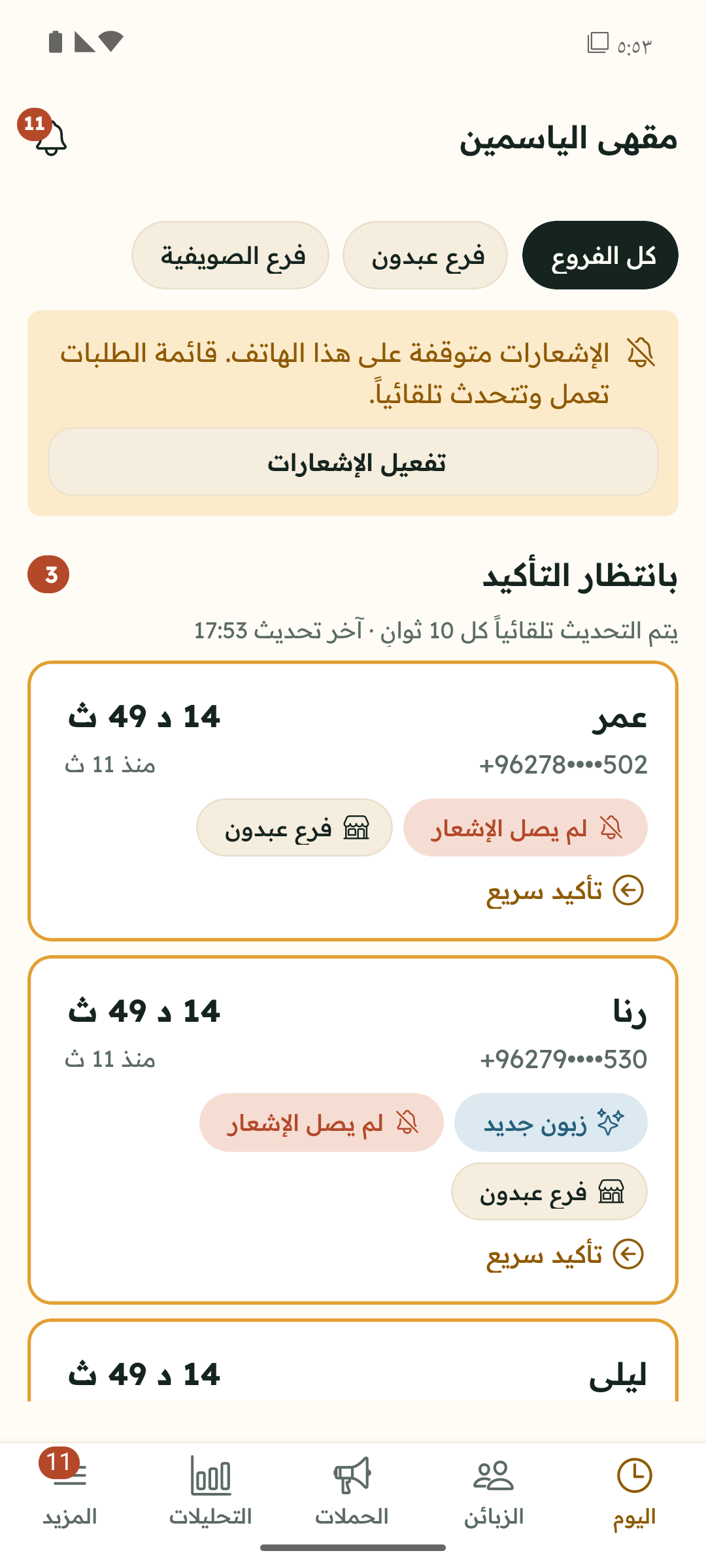
LOYA Business app · Owner -
Manager
Only their assigned branches: confirmations, analytics, inviting cashiers and drafting campaigns. Campaigns wait for the owner’s approval.
Managers can’t see billing or the audit log, export customer data, or change the programme rules.
-
Cashier
Fast confirm or reject, phone-number-only customer search, and gift redemption. Customer numbers are partly masked.
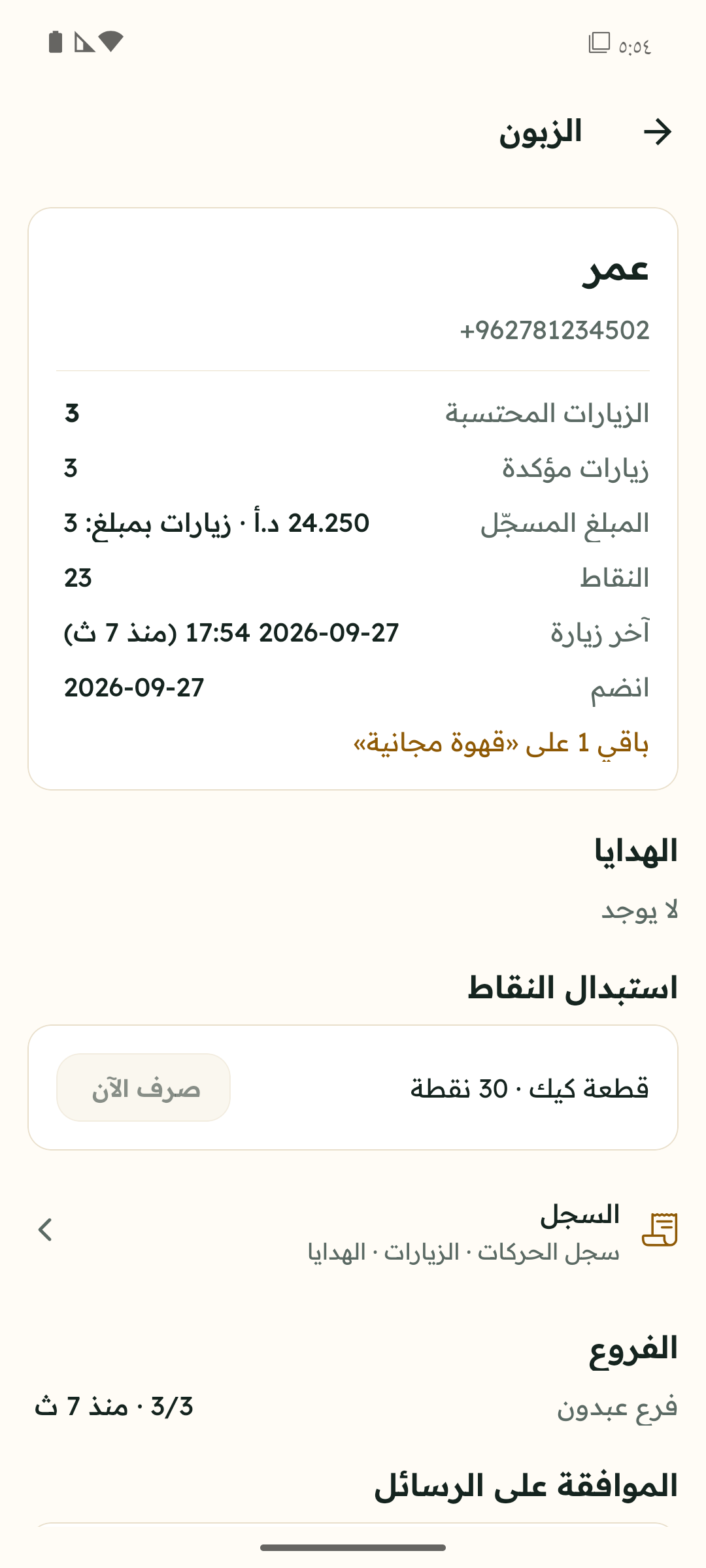
LOYA Business app · Cashier
Segments & campaigns
The right message, only to people who asked for it
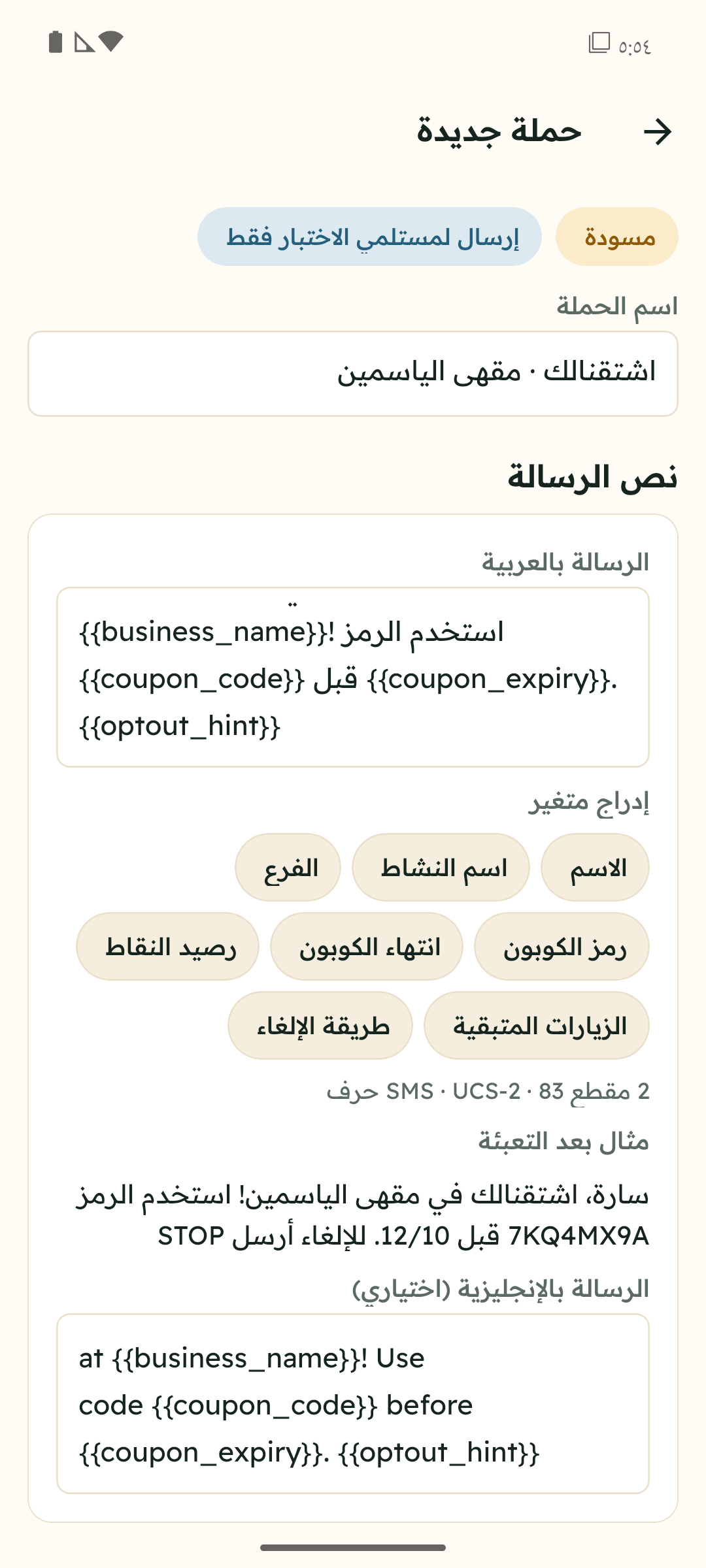
Start from a template, preview the audience before sending, and see the estimated cost first.
Ready-made templates
- We miss you
- Happy birthday
- Welcome, new customer
- Nearly there
- Unused gift
- Gift expiring soon
- VIP customers
- Slow period
- Manual campaign
- Audience preview
- See how many people will receive it, how many are excluded and why: no consent, unsubscribed, no valid number.
- Consent required
- Marketing messages only go to people who opted in to that specific channel.
- Wallet card notice
- A free channel that lands directly on the Apple Wallet or Google Wallet card, with the offer staying on it for the days you choose.
- Coupon codes
- A unique code per recipient, checked by staff when it is used.
- Send windows
- Promotional SMS and WhatsApp messages are only sent inside the hours you set, with country limits applied where they exist (for example 08:00–20:00 in Saudi Arabia).
- Budget caps
- A ceiling on each campaign’s estimated provider cost.
- Owner approval
- Campaigns drafted by managers wait for the owner before sending.
Honest analytics
Numbers you can actually explain
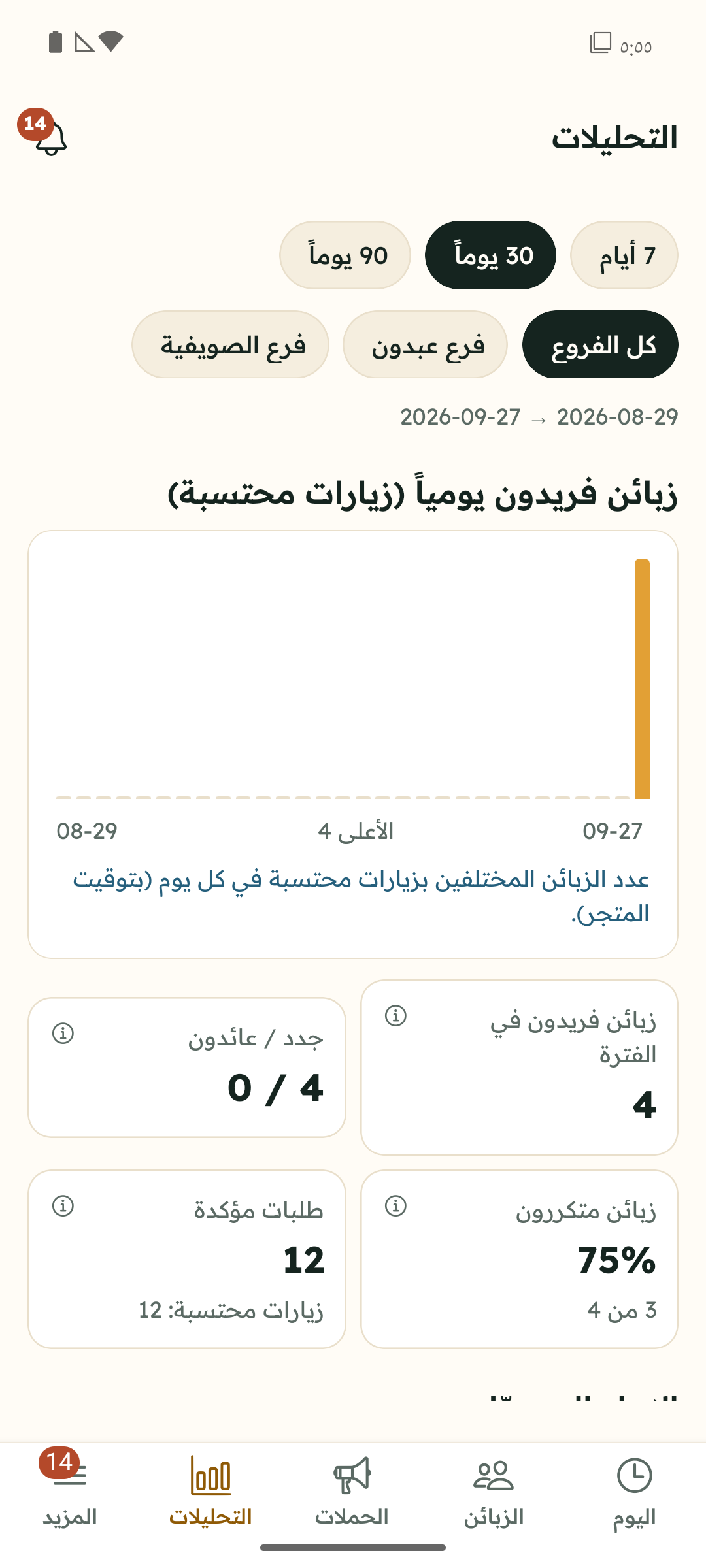
No percentage without its denominator, no revenue your staff didn’t enter, and no claim that a message “brought someone back” without evidence.
- Unique qualifying customers
- People with at least one confirmed visit in the period — not the number of visits.
- New vs returning
- New means their first confirmed visit was in the period; returning means they had one before.
- Repeat rate, with its denominator
- Customers with 2+ confirmed visits ÷ all qualifying customers in the period. We always show both numbers.
- Recorded revenue
- Only the bill amounts cashiers entered. It is not your total sales.
- Message accepted vs delivered
- “Accepted” means the provider took the message; “delivered” means the provider confirmed delivery, where it reports that.
- “Returned after message” vs “redeemed coupon”
- The first is correlation: a confirmed visit within a set window after the message — they might have come anyway. The second is evidence: a coupon redeemed by staff.
Onboarding & tablet setup
From sign-up to the first confirmed visit
We help with your first setup. Most steps are done by the owner from their phone.
-
Create your business
Name, category and contact details.
-
Add a branch
Address and opening hours. Each branch has its own devices and staff.
-
Choose a loyalty model
Visits, points or both — with milestones, gifts and the minimum time between visits.
-
Design your card
Upload your logo, pick the card colour and stamp icon, and see the preview live.
-
Publish terms & consent text
Clear wording the customer sees on the tablet; the version is stored with every consent.
-
Invite staff
Managers or cashiers, via an invite link that opens in LOYA Business.
-
Pair a tablet or print the card QR
A tablet with a time-limited code, or a print-ready QR poster that adds the card with no phone number.
-
Install the business app & allow notifications
On every cashier’s phone, so confirmation requests arrive instantly.
-
Connect a messaging provider (optional)
Your own account with the provider, if you want to send campaigns.
-
Review your plan & launch
Check prices and limits, then switch the programme on for your customers.
Pricing
Monthly subscription or a one-time license
Pick your country to see prices in your currency. Every subscription starts with a free trial.
Monthly per branch
60 SAR per branch / month
30-day free trial
- Priced per branch — add branches at the same rate
- 1 tablet
- 5 staff seats
- 8 campaigns / month
- Messaging fees not included
Includes
- Apple Wallet and Google Wallet cards
- Loyalty & visits
- Campaigns & messaging
- Coupons
- Core analytics
Monthly per branch
17 USD per branch / month
30-day free trial
- Priced per branch — add branches at the same rate
- 1 tablet
- 5 staff seats
- 8 campaigns / month
- Messaging fees not included
Includes
- Apple Wallet and Google Wallet cards
- Loyalty & visits
- Campaigns & messaging
- Coupons
- Core analytics
Add-ons
- Additional branch 60 SAR / month17 USD / month
- Additional tablet 19 SAR / month5 USD / month
- 5 more staff seats 19 SAR / month5 USD / month
- Advanced analytics 35 SAR / month9 USD / month
- More campaigns 25 SAR / month7 USD / month
Not included in any plan
- Tablets and stands
- Messaging provider fees (SMS, WhatsApp, email)
- Source-code ownership
- Hosting and support after the license's included period
Prices exclude tax, added where it applies.
Prices come from the LOYA catalogue at the time this page was built.
Hardware & messaging costs
Costs outside your LOYA plan, spelled out
Tablet & stand
- You buy the tablet and stand yourself, from any retailer. We don’t sell hardware or endorse a brand.
- We suggest a recent Android tablet around 10 inches, a fixed or lockable stand, and a charger kept at the counter.
- A reliable internet connection in the shop (Wi-Fi or a data SIM).
- Cashiers use their own or a work phone with the LOYA Business app.
Messages are billed by the provider
- Arabic SMS
- Sent as UCS-2: up to 70 characters in a single message, 67 per part when a long message is split. Each part is billed as a message.
- Latin-script SMS
- Up to 160 characters per message, 153 per part for long messages.
- Meta bills marketing template messages per message, at a rate set by the recipient’s country.
- According to your email provider’s plan.
You connect your own provider account and pay the provider directly. LOYA shows an estimate before sending; the actual invoice comes from the provider.
Security & customer privacy
Your customers’ data, handled with care
-
Tenant isolation
Every server request is scoped to the business and branch; no business can see another’s data.
-
Explicit, recorded consent
Joining includes agreeing to offers by SMS and WhatsApp; customers see it clearly and accept it, and we record the time and the exact text version.
-
Stopping is always possible
Customers can stop messages at the counter tablet or by replying STOP; stopping means leaving the programme, while gifts already earned stay valid until they expire.
-
Encrypted provider secrets
Your messaging provider keys are stored encrypted and never shown in full after saving.
-
Where data is hosted
On Cloudflare’s globally distributed cloud. We say so plainly so you can decide with full information.
-
Data protection laws
We are working towards compliance with Saudi Arabia’s Personal Data Protection Law and Jordan’s Personal Data Protection Law No. 24 of 2023; legal review is still pending. We hold no compliance certification.
FAQ
Before you ask
What counts as a visit?
A visit confirmed by a staff member that meets your programme’s rules: the minimum time between visits (4 hours by default), one counted visit per day by default, and a minimum bill if you set one.
How does marketing consent work?
Joining the programme means agreeing to receive offers and reminders by SMS and WhatsApp — that is what earns members their gifts and discounts. Customers accept it explicitly when they sign up, and we store the time and the exact text version. They can stop messages at any time, which means leaving the programme.
Can I set it up on my own?
Yes. Sign up in the LOYA Business app, create your programme, design your card and print its QR, then subscribe. You don't need anyone from our team, and we're here if you want help.
Do customers need an app to get the card?
No. They scan a QR code on the tablet and add the card to the Apple Wallet or Google Wallet already on their phone.
Do wallet cards cost extra?
No. They are included in every plan, and offer notices on them are not billed as SMS or WhatsApp messages.
Can a card be shared with someone else?
The add link works once. If a customer issues a new Apple copy the old one is voided, and a Google card is tied to one account. Every visit still needs a staff confirmation.
What if the internet drops?
The tablet queues requests and sends them when the connection returns — but nothing is counted and no gift is issued until a staff member confirms while online.
What staff roles are there?
Owner, manager and cashier. Managers work on their own branches and need owner approval for campaigns; cashiers confirm, reject and redeem, and see masked numbers.
Which messaging providers are supported?
WhatsApp through Meta’s official WhatsApp Cloud API; UltraMsg as an unofficial, QR-linked option that carries a risk of the number being banned; SMS through Twilio or Infobip; email through Resend or SendGrid. All of them require your own account with the provider, and these integrations are still being verified — none has been tested with live sending yet.
Does it work with multiple branches?
Yes. Each branch has its own devices and staff, and customers collect visits at any branch. Extra branches are an add-on to your plan.
Who owns the customer data?
Your business does. LOYA processes it on your behalf to run the programme; we don’t sell it or use it to market anyone else.
How long does setup take?
It depends on having the tablet ready and your terms written. The setup itself is usually short, and we plan it with you during the demo.
How do I cancel, and what happens to my data?
You can cancel under your contract terms. The owner can export customer data before leaving, and earned gifts stay redeemable during the wind-down period.
Request a demo
Let’s see if LOYA fits your business
Leave your details and we’ll get in touch to book a short demo on a real device.
Thanks — we’ve got your request
We’ll contact you soon on the number you gave. Request reference: